
The Homeschool Organization Struggle is Real
If you're a homeschool parent, you know the challenge: you're the teacher, administrator, curriculum coordinator, and motivator all rolled into one. Keeping track of what each child has completed, what's next, and maintaining their motivation can feel overwhelming.
Most homeschool planning tools are either:
- Too complex (full curriculum management systems with steep learning curves)
- Too simple (basic checklists that don't motivate kids)
- Too expensive (subscription fees that add up with multiple children)
What if there was a middle ground? A homeschool task tracker that's simple enough to use daily but engaging enough to keep kids motivated?
Why Points Work for Homeschool
Homeschool families face a unique challenge: there's no external structure. No bells, no grades from a teacher, no peer comparison. This freedom is wonderful, but it can also make motivation difficult.
A point-based system provides:
✅ Benefits for Homeschool Families
- Clear daily expectations - Kids know exactly what earns points
- Visible progress - Points accumulating provides tangible feedback
- Built-in rewards - Motivation without constant parental cheerleading
- Independence - Older kids can track their own progress
- Flexibility - Works with any curriculum or approach
How PointWiseSystem Works for Homeschool
The Homeschool profile is designed specifically for home education families:
Subject-Based Tasks
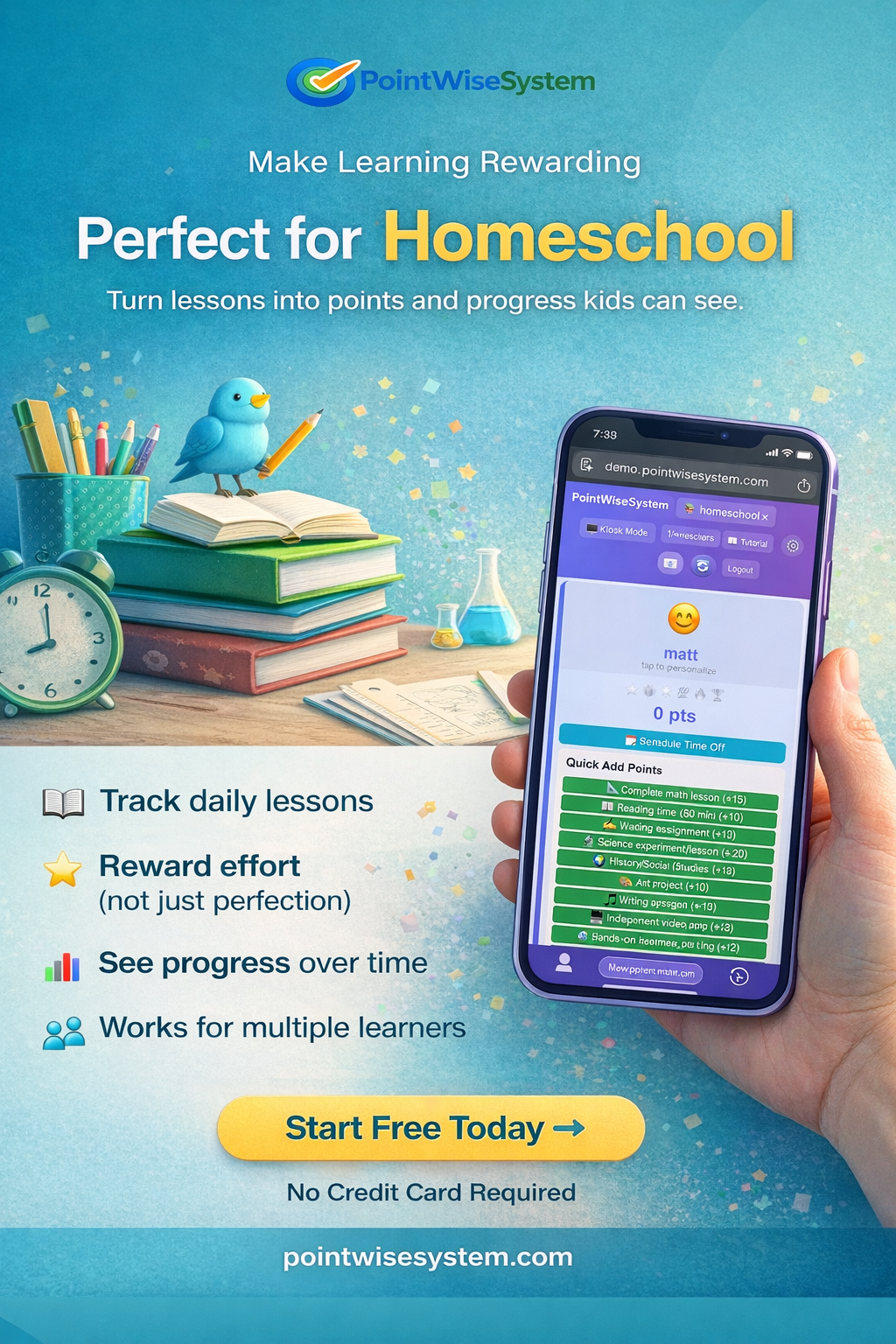
Pre-loaded tasks cover core subjects:
- 📐 Complete math lesson (15 points)
- 📖 Reading time - 30 min (10 points)
- ✍️ Writing assignment (12 points)
- 🔬 Science experiment/lesson (20 points)
- 🌍 History/Social Studies (12 points)
- 🎨 Art project (10 points)
- 🎵 Music practice (10 points)
Plus bonus tasks like "Complete all subjects for day" (20 points) and "Perfect focus during lessons" (10 points).
Rewards That Motivate
The reward menu includes homeschool-specific options:
- Small: Choose art activity, pick subject order, 15 min early finish
- Medium: Documentary of choice, new book from store, skip one subject for day
- Big: Museum or zoo trip, science center visit, book shopping spree
📚 Simple Mode: Task Tracking Without Points
Many homeschool families prefer Simple Mode over the points system. Here's why:
Why Simple Mode Works for Homeschool
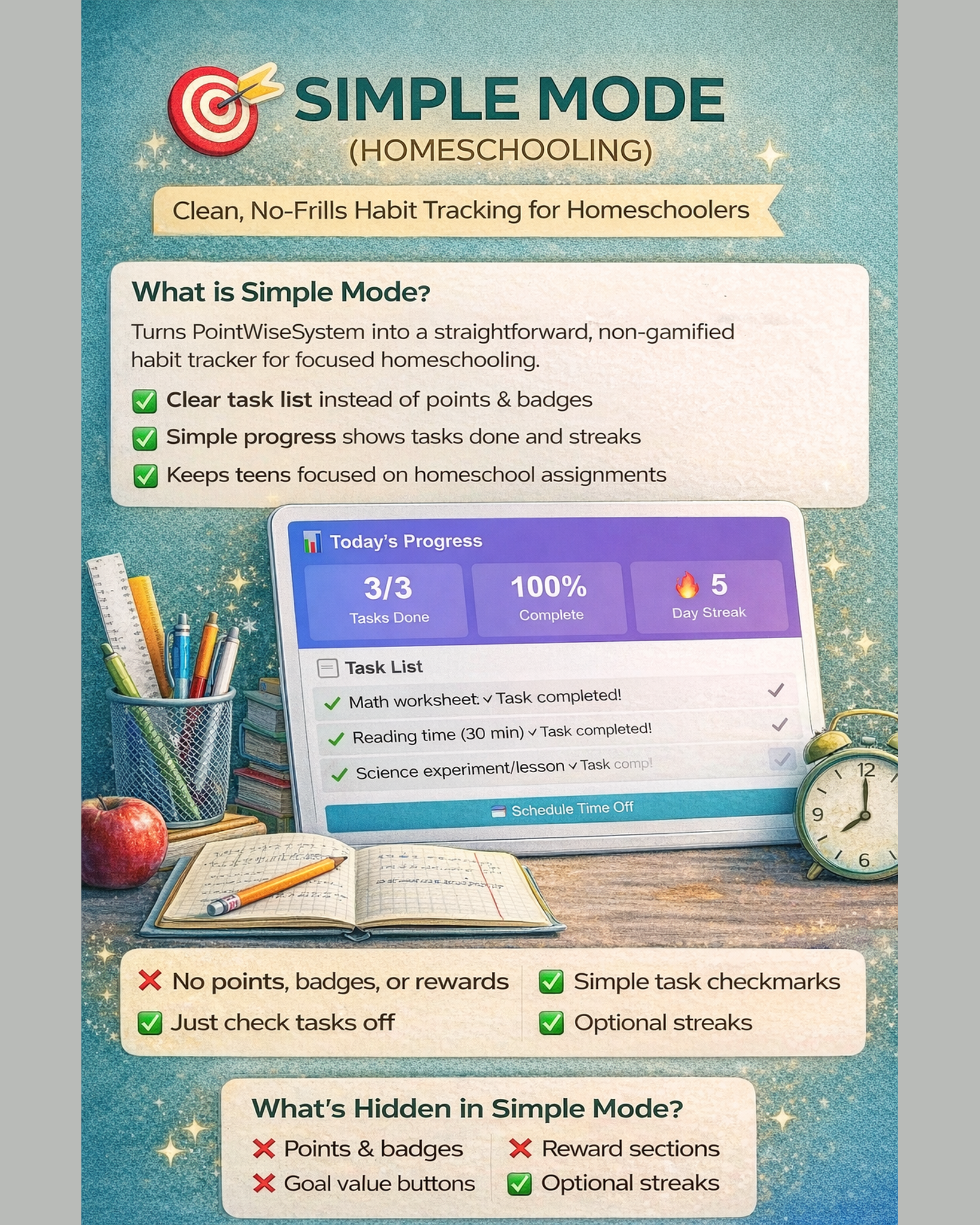
Not every family wants gamification. Some prefer a clean, straightforward task tracker. Simple Mode gives you exactly that:
✅ Simple Mode Benefits
- Pure task tracking - Check off completed subjects without points
- Clean interface - No distracting numbers or rewards
- Focus on completion - The goal is finishing, not accumulating
- Less pressure - No "earning" mentality, just getting things done
- Works for all ages - Younger kids and teens alike
How Simple Mode Works
Toggle Simple Mode on in Settings. The interface transforms:
- Points are hidden from view
- Tasks become simple checkboxes
- Rewards section disappears
- Focus shifts to daily completion
Your kids see their task list, check off what they've done, and you can see at a glance who's completed their work. No negotiations about points, no reward calculations - just organized homeschool tracking.
When to Use Simple Mode vs. Points
Use Simple Mode if:
- You prefer intrinsic motivation over external rewards
- Your kids are self-motivated and just need organization
- You want a digital checklist without gamification
- Points feel like too much overhead
Use Points Mode if:
- Your kids need extra motivation to complete work
- You want to tie schoolwork to privileges or rewards
- Gamification helps your family stay engaged
The best part? You can switch between modes anytime. Start with points, switch to Simple Mode when habits are established. Or vice versa.
A Day in the Life: How One Family Uses It
The Martinez family homeschools three kids (ages 7, 10, and 13). Here's their typical day:
8:00 AM - Kids check the dashboard on the kitchen tablet to see their tasks for the day.
Throughout the day - As each subject is completed, kids tap the task button. Points accumulate visibly.
3:00 PM - School day ends. The 13-year-old has earned enough points for "30 minutes of video games." The 10-year-old is saving for a "trip to the bookstore." The 7-year-old redeems points for "choose tonight's read-aloud book."
Weekly - Mom reviews the activity history to see patterns. She notices the 10-year-old consistently avoids science, so she adjusts the point value to make it more rewarding.
Tracking Multiple Children
One of the biggest challenges in homeschooling multiple kids is keeping track of who's done what. PointWiseSystem shows all children on one dashboard:
- See at a glance who's completed their work
- Each child has their own point total
- Customize tasks per child if needed (the 13-year-old has different expectations than the 7-year-old)
- Kids can't edit each other's points (PIN protection)
Works With Any Curriculum
Whether you use:
- Classical education (Charlotte Mason, Classical Conversations)
- Unit studies
- Online curriculum (Time4Learning, Khan Academy)
- Textbook-based programs
- Unschooling with some structure
PointWiseSystem adapts. You define what counts as a completed task. "Complete math lesson" might mean finishing a Saxon Math lesson, completing a Khan Academy unit, or working through a hands-on math activity.
Reducing Homeschool Burnout
Homeschool parent burnout is real. Constantly motivating, tracking, and managing can be exhausting. A task tracker helps by:
- Reducing nagging - The system provides the motivation, not you
- Creating independence - Kids know what's expected and can self-manage
- Providing structure - Without you having to enforce it constantly
- Celebrating wins - Points and rewards acknowledge effort automatically
Affordable for Any Family
PointWiseSystem offers a simple pricing structure:
Free - Get started with basic tracking:
- 2 students
- Pre-made tasks and rewards
- 3 daily recurring tasks per student
Plus with Homeschool Add-on ($7.98/month) - Everything homeschool families need:
- Unlimited students
- Custom tasks and rewards
- Recurring tasks (daily subjects that auto-reset)
- Unlimited history for record-keeping
- Export to CSV (great for homeschool documentation)
- Subject tracking, curriculum integration, time logging
- Grade/assessment tracking for state compliance
🆕 NEW: Advanced Homeschool Features
We've added powerful new features specifically for homeschool families. Enable any of these in Settings (all are off by default):
- 📊 Subject Tracking - Track progress by subject (Math, Reading, Science, etc.)
- 📚 Curriculum Integration - Link tasks to your curriculum and lesson plans
- ⏱️ Time Logging - Track how long each student spends on each subject
- 📝 Grade/Assessment Tracking - Record test scores, grades, and assessments
- 👥 Student Comparison - See all students' progress side-by-side
- 📋 State Requirements Tracking - Track hours per subject for compliance
📚 Simplify Your Homeschool
Try our interactive homeschool demo — no signup needed.
Try the Homeschool Demo →Frequently Asked Questions
Can I use this for homeschool record-keeping?
Yes! The activity history shows what was completed and when. Export to CSV for your records. With our new advanced features, you can also track time spent per subject and record grades - perfect for state compliance requirements.
What if my kids are at very different levels?
Each child can have different tasks and point values. The 5-year-old's "reading time" might be worth 15 points while the 12-year-old's is worth 10.
Can my kids access it independently?
Yes! Set up a tablet or computer where kids can tap their completed tasks. PIN protection keeps settings secure so they can't change point values or add fake completions.
Does it work for co-ops or homeschool groups?
Absolutely. Some co-ops use a shared account to track participation across families. The Classroom profile might be a better fit for larger group settings.
How do I track hours for state requirements?
Enable the "State Requirements Tracking" feature in Settings. You can set required hours per subject for your state, then use the Time Logging feature to track actual hours. The system will show you progress toward compliance goals.